Global Settings
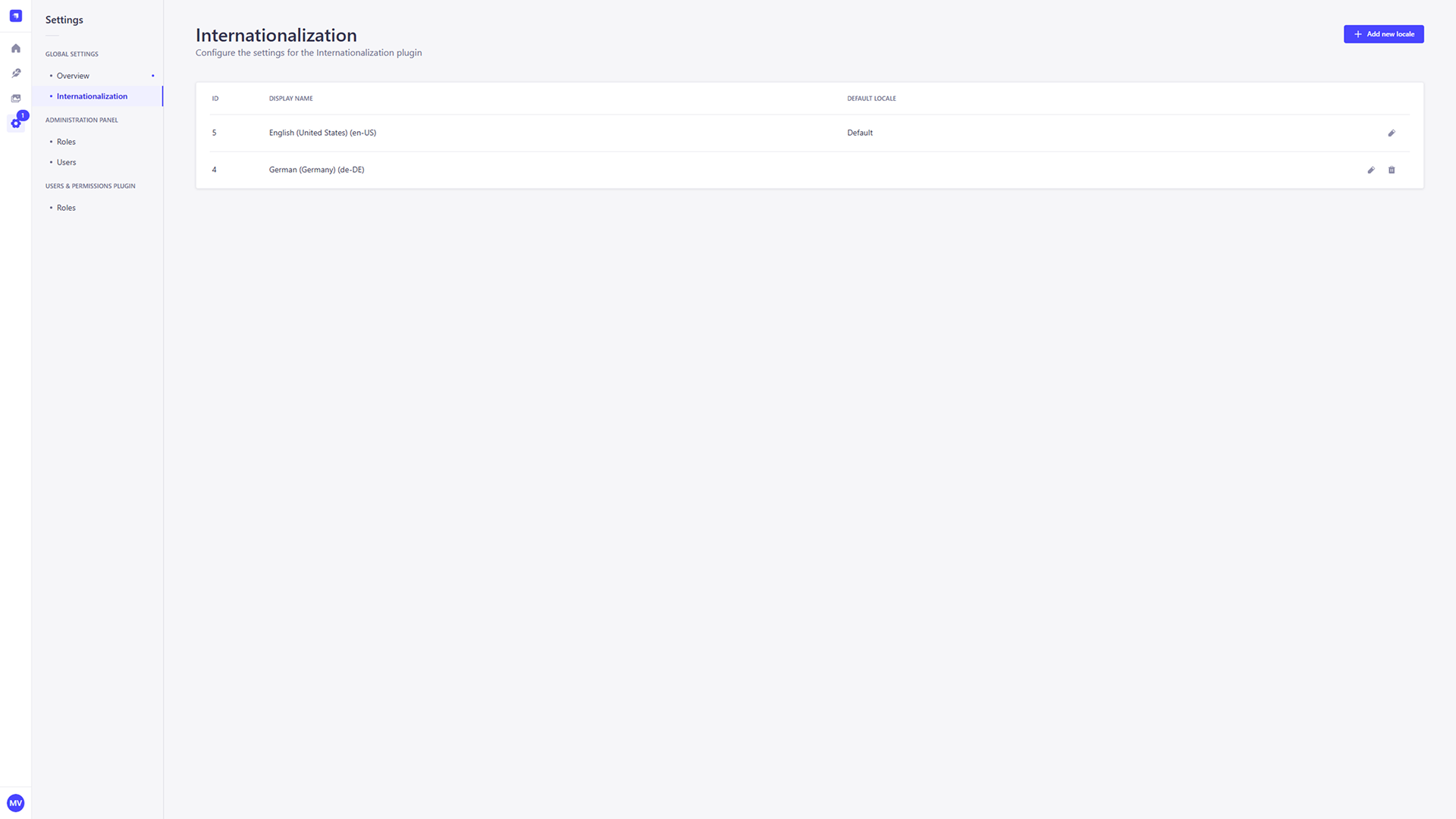
The Global Settings area allows you to configure features that apply to your entire application. The primary setting in this section is Internationalization, which lets you add and manage all the languages available for your content.
Internationalization
This is where you globalize your VISHOW project by adding new languages and managing existing ones.
Overview
The List View displays all of your created locales. You can also edit or delete a created locale at any time by clicking the pencil icon or trash icon.
Add New Locale
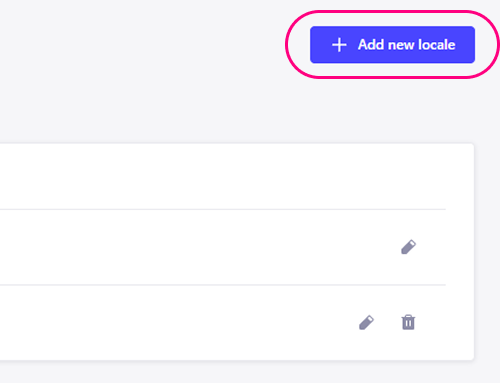
Languages available via the Internationalization feature are called "locales". To add a new one, click the Add new locale button.
Basic Settings
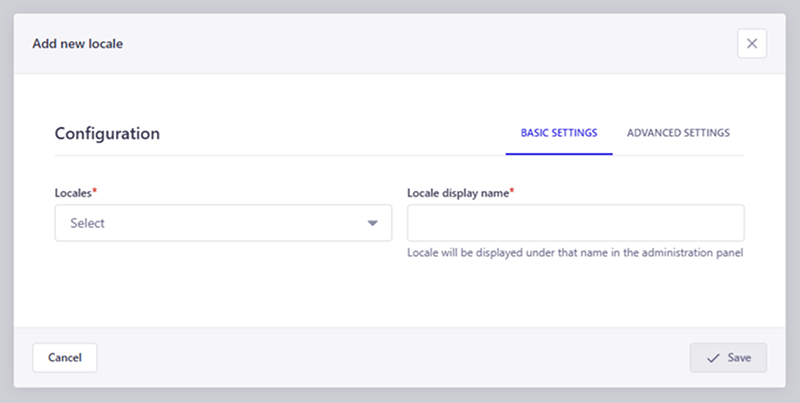
The Basic settings panel appears when you are adding or editing a locale.
- Locales: Use the Locales dropdown to choose from over 500 available locales.
- Locale Display Name: Define a display name for the new locale that will appear in the language dropdown throughout the CMS.
LOCALE CODES
Ensure you use the correct language codes (e.g., en-US, de-DE) when defining a new locale. The language code is a standardized identifier that represents both the language and the region.
Advanced Settings
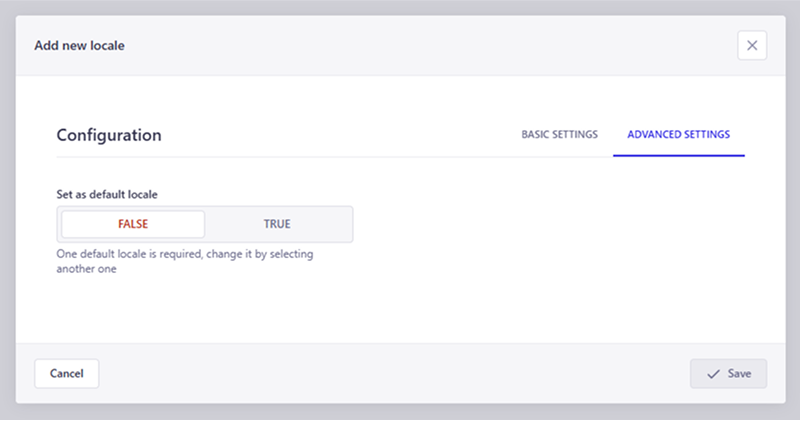
Advanced settings are available when adding or editing a locale.
- Set as Default Locale: When creating new content without specifying a locale, the CMS automatically uses the default locale.