Laserpointer
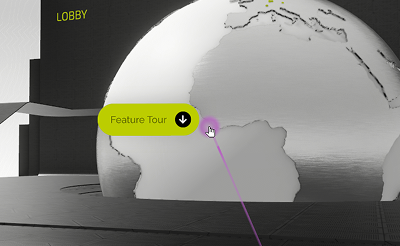
The laser pointer is a key feature for highlighting elements during presentations or collaborative sessions inside the virtual showroom.
Controls
For detailed input options, see the Controls page.
Keyboard & Mouse Control
When using a PC setup with keyboard and mouse, the laserpointer is activated by holding space and follows the user’s mouse cursor.
VR Control
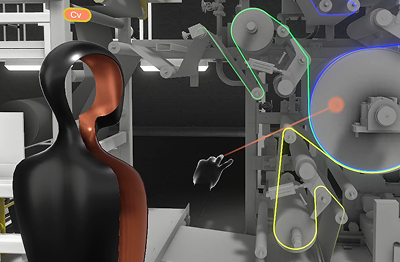
In VR mode, the laser pointer can be activated using either a physical controller button or a supported hand gesture.
Controller activation
The index finger trigger on the right controller activates the laser pointer. The laser is emitted from the active controller and can be directed freely by hand movement, enabling precise pointing in 3D space.
Hand gesture activation
If Hand tracking is supported and enabled, the laser pointer can be activated without using the controller.
To activate the pointer, pinch your index finger and thumb together. This gesture activates a visible laser beam in your profile color, which is ideal for pointing out features to others in the session.
For more information on the supported gestures and controls, visit the Controls page.
Laserpointer access
The laserpointer unlocks when the user joins a meeting.