Invitation
The Invitation section is a Collection Type that allows you to invite new users to your app. Invitations are unique links that cannot be modified once created and are valid for a default time period of 7 days. The time period is defined in the system's configuration and can be tailored to your needs.
APP ACCESS
The invitation link sent to a user grants them access to the app, not the CMS admin panel. A user's access to the CMS is managed in the Administration Panel Settings.
Video Tutorial
Overview
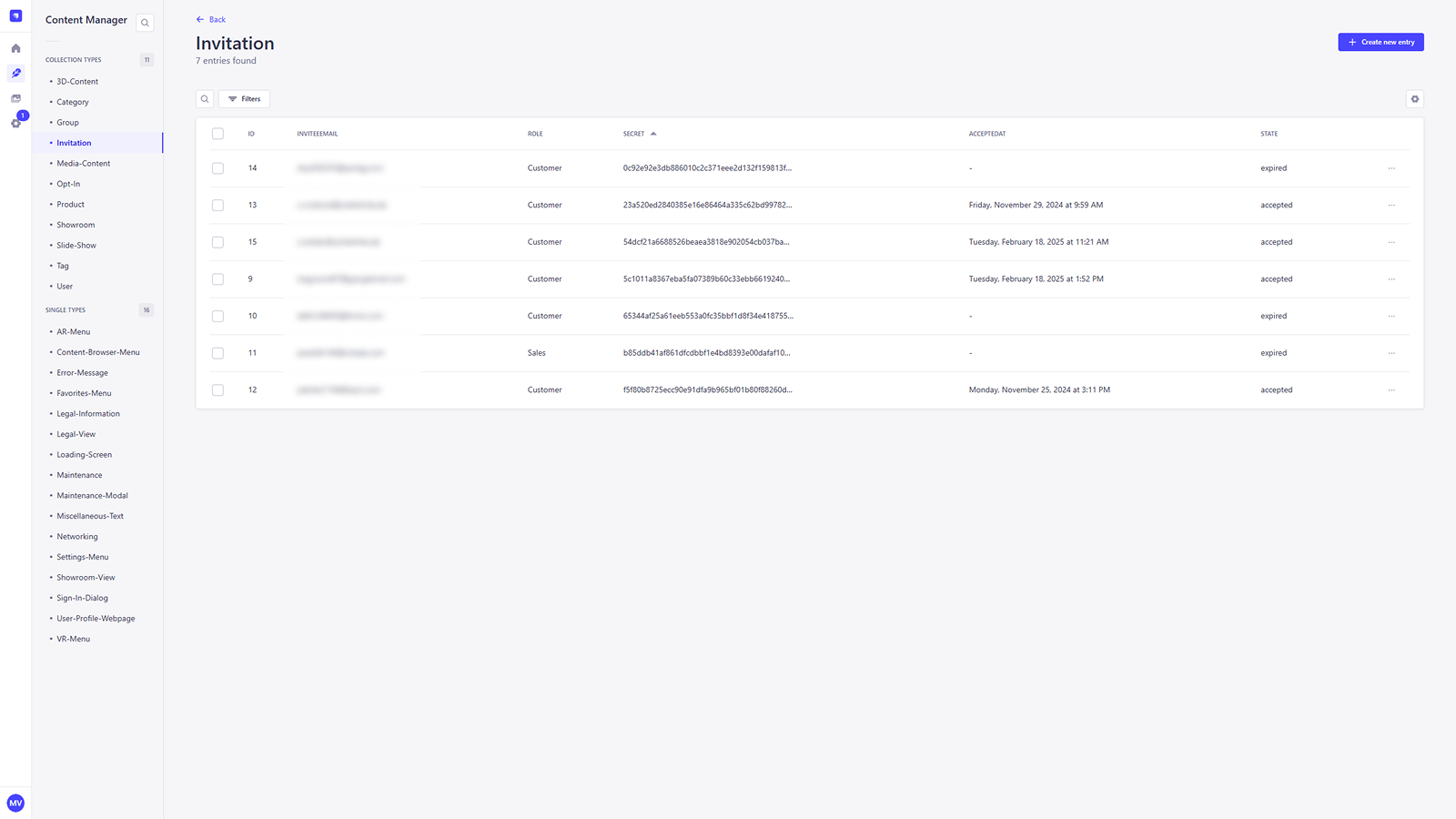
This is the List View for all the invitations you have sent. Here you can see the State of each invitation and other key details.
The State column tracks the invitation throughout its lifecycle:
- Pending: The invitation link has been generated and sent, but the user has not yet completed the registration process.
- Accepted: The user has clicked the link and successfully created their account and profile.
- Expired / Invalid: The time limit has passed, or the invitation has been deleted by an administrator, making the link inactive.
Creating an Invitation
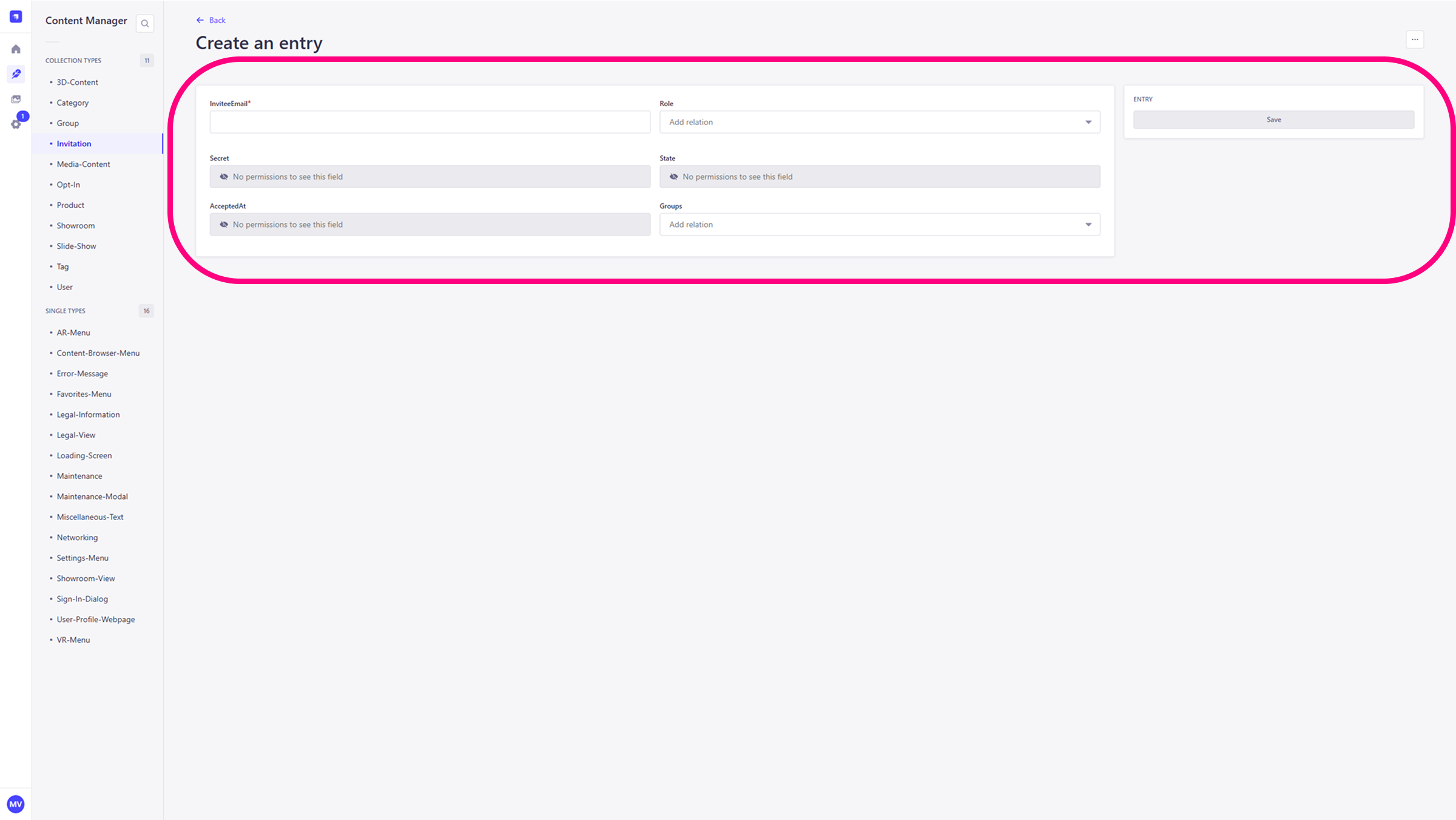
To create a new invitation, click the + Create new entry button in the top right corner. This will open the entry editor where you can define the user's invitation details.
- InviteEmail: Enter the email address of the user you want to invite.
- Role: Use this field to assign a Role to the invited user (e.g. Team or Customer). This role defines the user's permissions and access levels within app. The available roles are customizable but must be defined in the development environment.
- Groups: Use this field to assign the user to one or more Groups. This is essential for multi-user sessions and determines content visibility, as Groups are linked to specific content-access configurations.
- Read-only Fields: After the entry is saved, fields such as Secret, State, and AcceptedAt will be automatically populated with information about the invitation's status.
After filling out the form, click Save to send the invitation. The system will then generate and send an invitation email to the user with a unique link to create their account.