Administration Panel
The Administration Panel provides the tools to manage your team's access to the CMS. This is where you can define Roles and invite new Users to your project.
Video Tutorial
Roles
Roles are used to define the permissions and access levels for CMS users. They determine what a user can see, edit or publish. Roles are set up and managed by a Super Admin.
Users
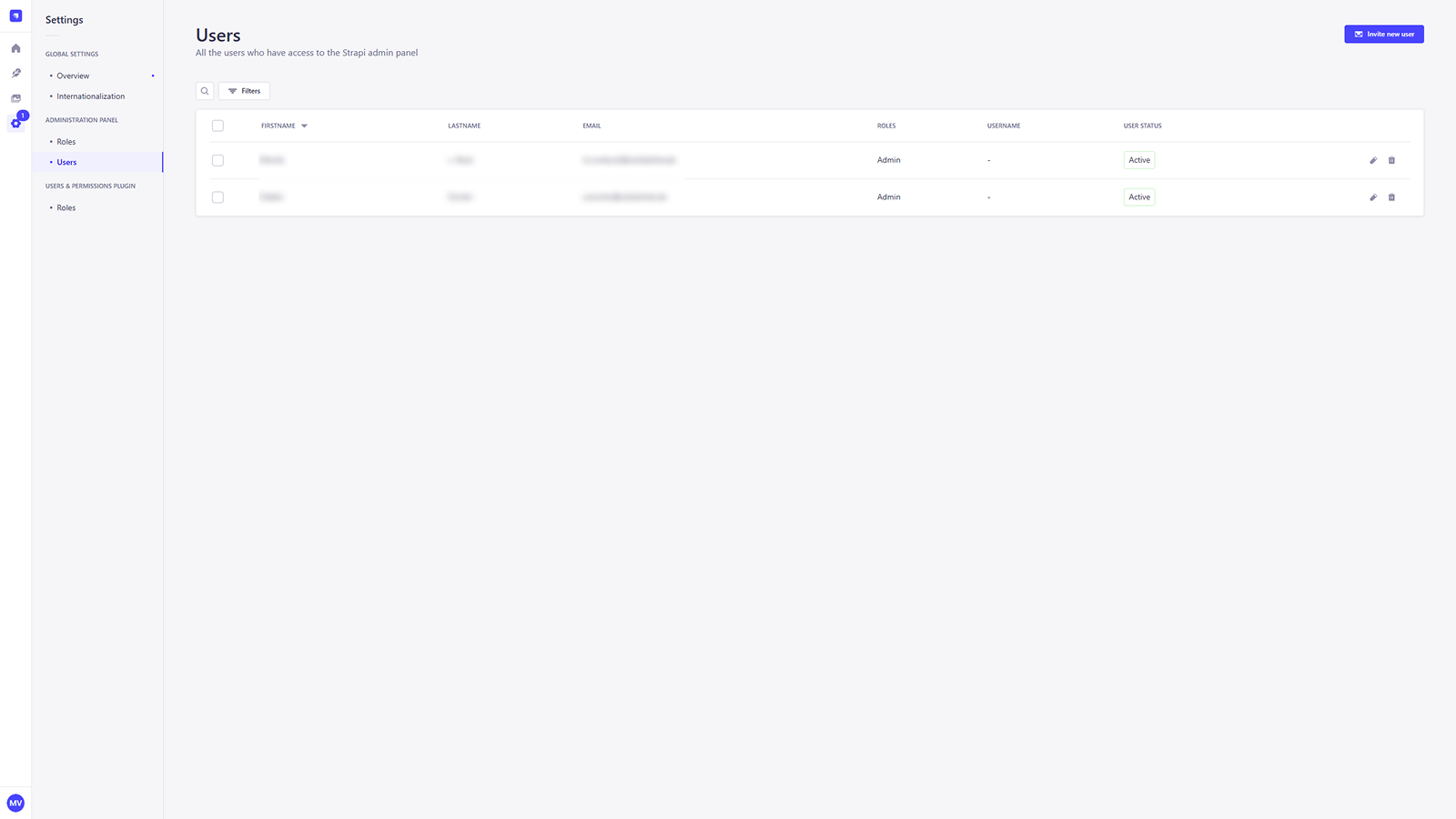
This page displays a list of all the users who have access to the VISHOW Admin Panel. Here, you can view their basic information, their assigned Roles and their current User Status.
Invite a new User
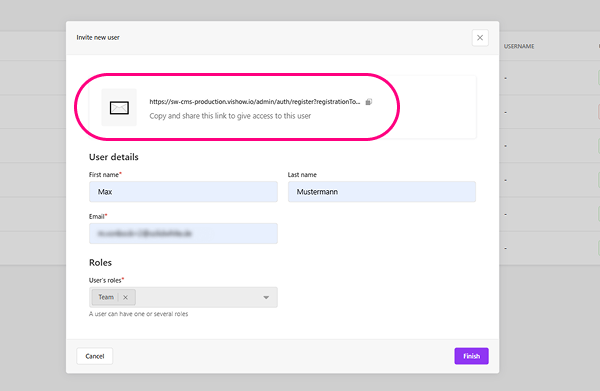
To invite a new user to the CMS, click the Invite new user button. A form will appear, prompting you to enter the new user's details.
- First name and Last name: Enter the new user's name.
- Email: Enter the email address.
- User's roles: Use this dropdown to assign a role to the new user, which will define their permissions in the CMS. The available roles are customizable but must be defined in the development environment.
After filling out the form, a unique invitation link will be generated. You must copy and share this link to give the new user access.
Click Finish to get back to the List View.